You are deciding what to try next
Start with a work category, identify the capability you need, and investigate a short list.
Tool selection / Frontier Intelligence
Choose your tools around the work you want to do.
Use a compact reference to connect useful AI capabilities with research, writing, capture, design, visibility, production, and connected work. Build a purposeful stack one task at a time.
Fall 2026–Spring 2027 · Curated October 2026
Curated by Elizabeth Edwards
Why this belongs in your work
The Frontier Intelligence Tool Stack, offered here as the AI Tools Deck, organizes dozens of examples by their role in professional work. Each entry gives a short purpose and a destination; field notes help you consider verification, data, consent, permissions, and human review.
What you are getting
For PR and communication professionals, creators, agency owners, and business leaders choosing a practical AI working stack.
Inside the resource
Scan the three areas below. Open any section to see the specific material included.
Selected pages / actual edition
These are real pages from the resource’s conference edition. Select a page to open a larger image. Descriptions below explain what you are seeing.
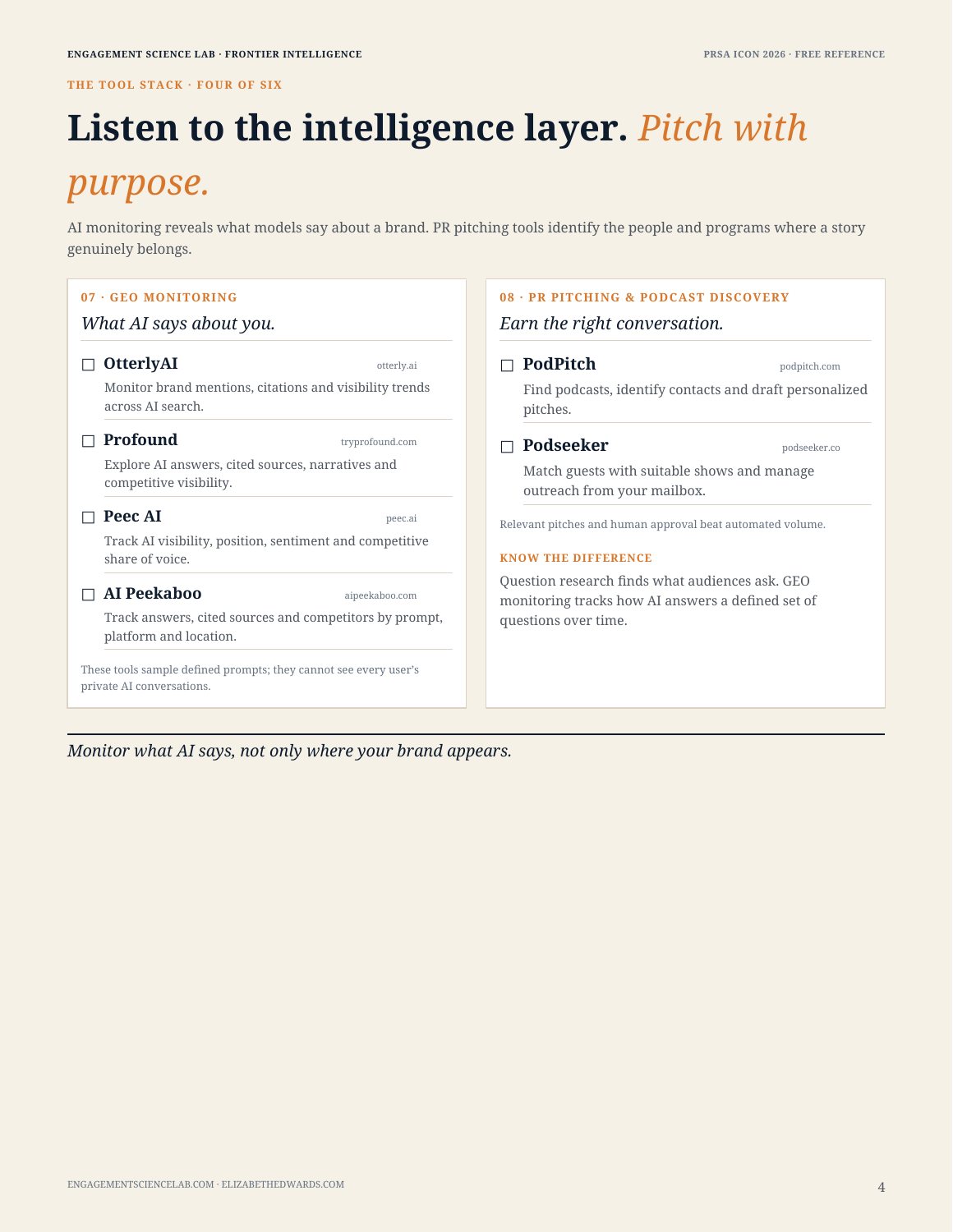 Page 4 · Open larger ↗
Conference-edition sample: AI-answer monitoring sits beside PR pitching and podcast discovery, with a field note explaining how their jobs differ. The conference reference was provided free to attendees.
Limited sample pages. The complete paid materials are delivered privately after purchaser verification.
Put it to work
Illustrative uses for the method—not claims of guaranteed results.
Start with a work category, identify the capability you need, and investigate a short list.
Look for overlap and consider what your foundational tools already support before adding another service.
Distinguish question discovery, search research, AI-answer monitoring, and outreach so a purchase serves the right task.
A clearer shortlist of capabilities to evaluate against your actual work, approved environment, and review needs.
Choose with clarity
A dated reference, not a software subscription, hands-on course, or independent security audit. Verify current capabilities, pricing, data handling, and terms before adoption. Tools are examples, not endorsements.
Read purchase & access termsNo. This purchase is the reference deck. Any software accounts, subscriptions, usage charges, and procurement review are separate.
It is a concise selection reference, not a set of tutorials. It helps you connect a category of work to relevant capabilities and decide what to investigate.
The sample is from Elizabeth’s PRSA conference edition, which was provided free to attendees. The general store reference is offered here at the listed one-time price.
No. The optional 12-Month Update Passes apply to the three reports and their collection. The Tools Deck is a separate, dated reference.
We review your purchaser details before releasing materials. Delivery is within 48 hours after purchaser verification, rather than immediately after payment. Use an email you check regularly.
The listed license covers internal professional use by the purchaser and their named organization. Resale, redistribution, public posting, and client sublicensing are not included. Contact the Lab about broader use.
Your next step
AI Tools Deck · $39 one-time in USD.
Bring a focused workshop, tailored learning series, or strategic engagement into your organization.